Available now · version 0.1.5
Just one password to remember.
Everything else stays locked away on your computer. Not in a cloud, not with us.
Aelyna® Keys is a password manager for Windows and macOS. It keeps your logins, 2FA codes and notes in an encrypted vault that lives on your device: no server can see it, not even ours.
Download Aelyna® Keys How the lock works
Windows 10 and 11 · macOS 12 or later · English and Italian · Free
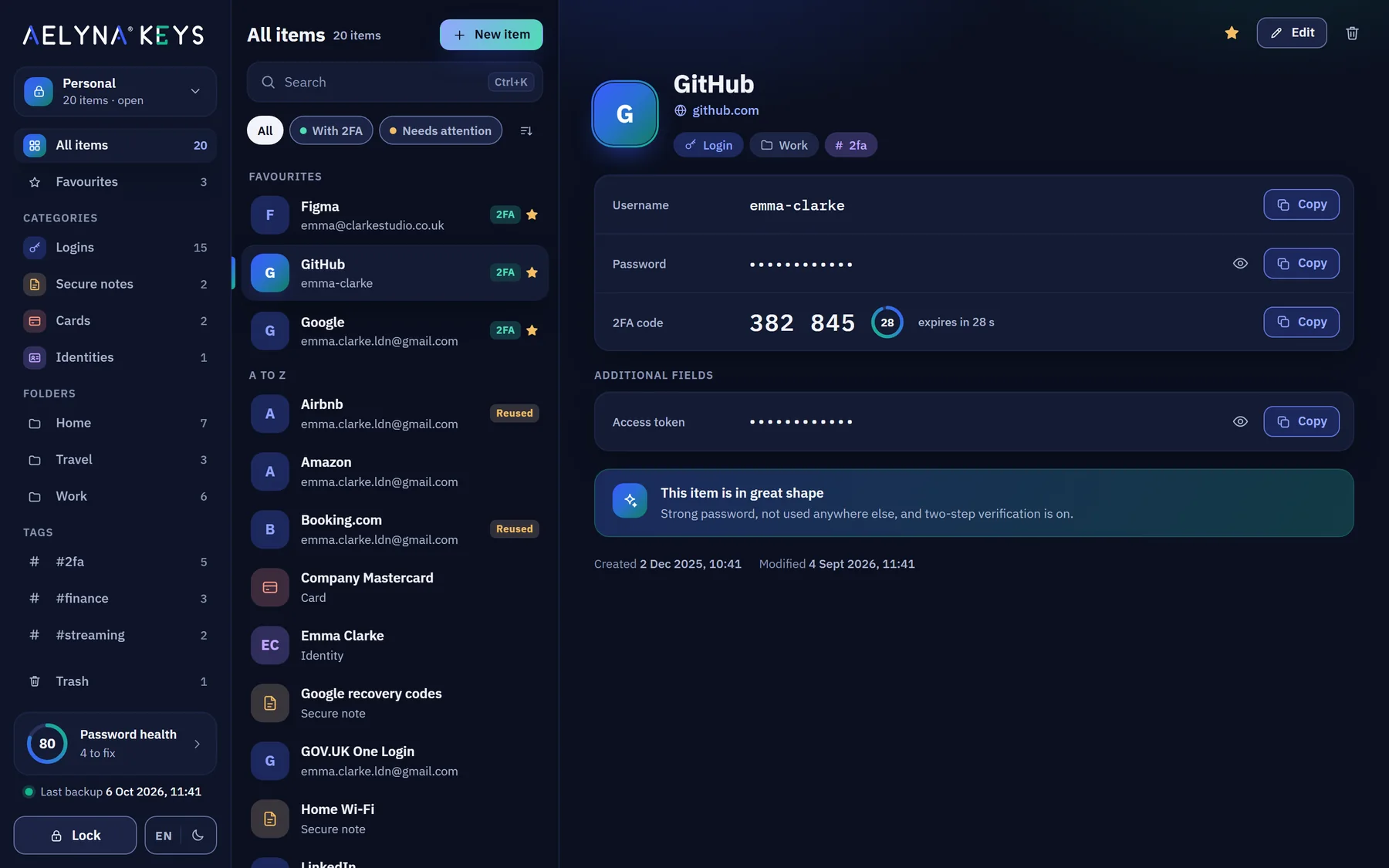
It holds your logins, secure notes and identities.
Each kind has its own colour, just like in the app, so you spot it before you read a word. Recovery codes, PINs, the home Wi-Fi password.
An ordinary day
From first coffee to midnight, without a second thought.
No expertise needed. Here's how Aelyna® Keys fits into a normal day, with real screens from the app.
-
Coffee, laptop, off we go
Unlock your vault once.
Type your master password and everything is at hand until you lock it again. On Windows, Windows Hello lets you use your face or fingerprint instead.
Step away and it locks itself after the time you choose.
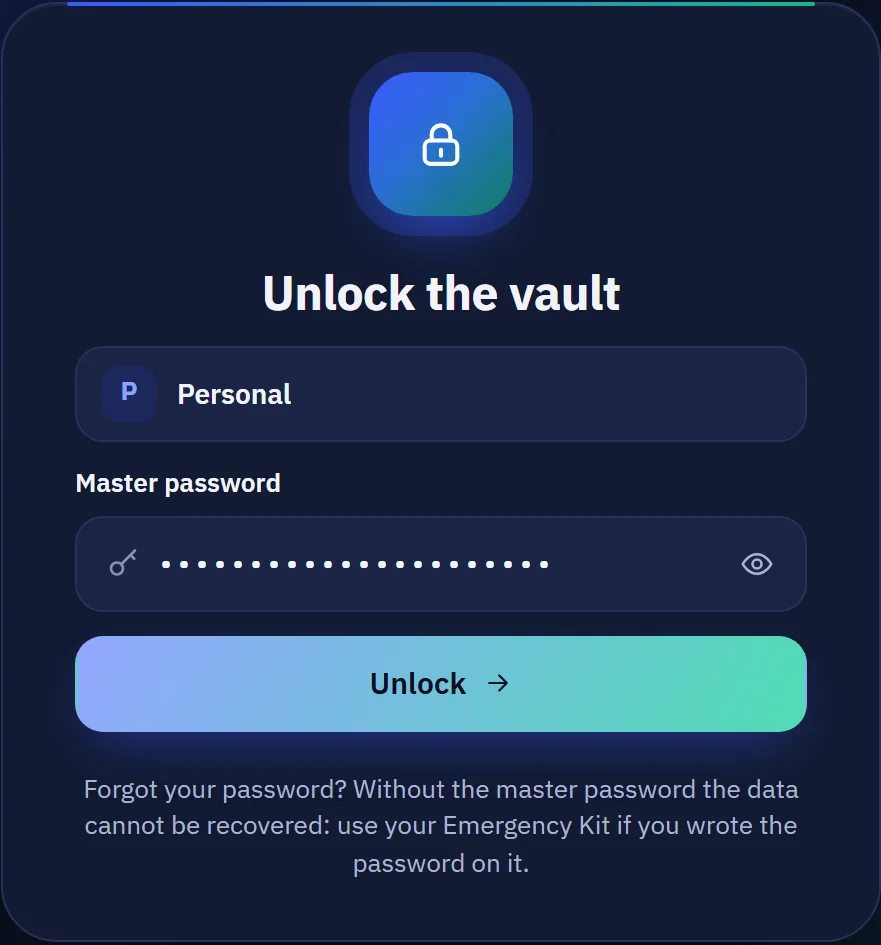
Encrypted on this computer
-
First sign-in of the day
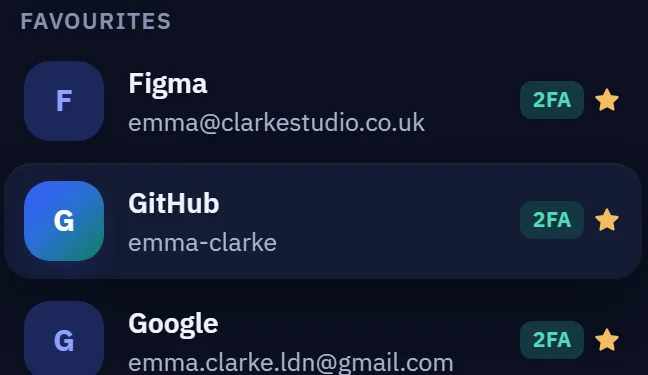
Ctrl+K, type “git”, press Enter.
Username, password and 2FA code sit on the same card. Copy, paste, you're in. The clipboard clears itself after 30 seconds.
On Windows, copied passwords stay out of clipboard history (Win+V).

-
Lunch break, new subscription
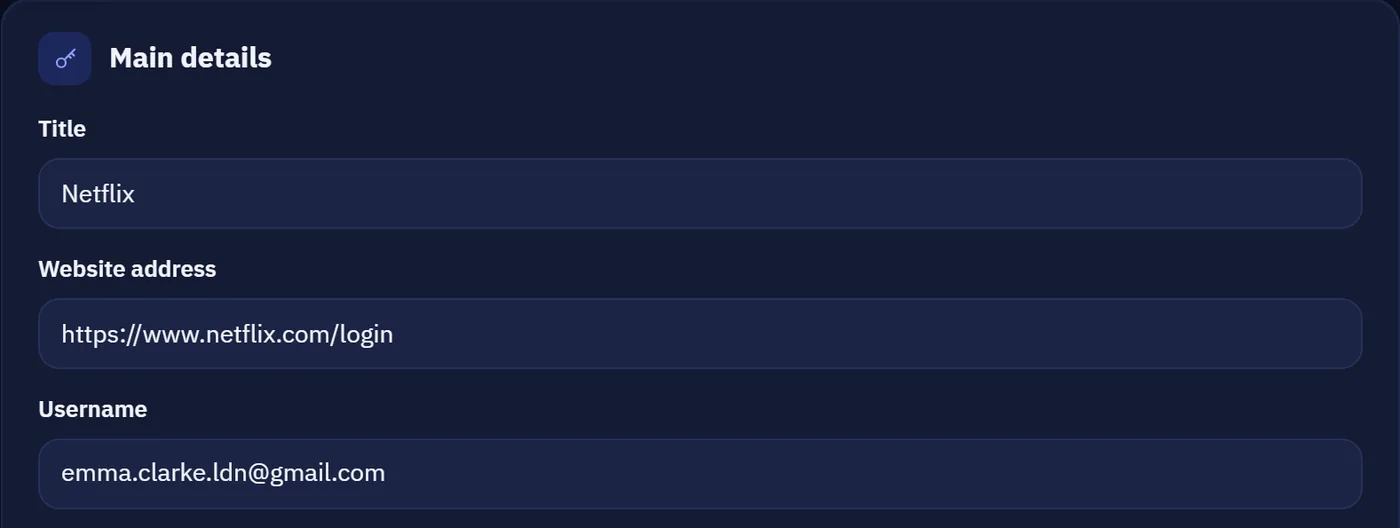
A new password you never have to remember.
Press Generate: 20 random characters, rated Excellent. Or a passphrase made of words, easier to type by hand. It's saved, encrypted, with everything else.
The generator shows how strong it is before you use it.

-
Five minutes of upkeep
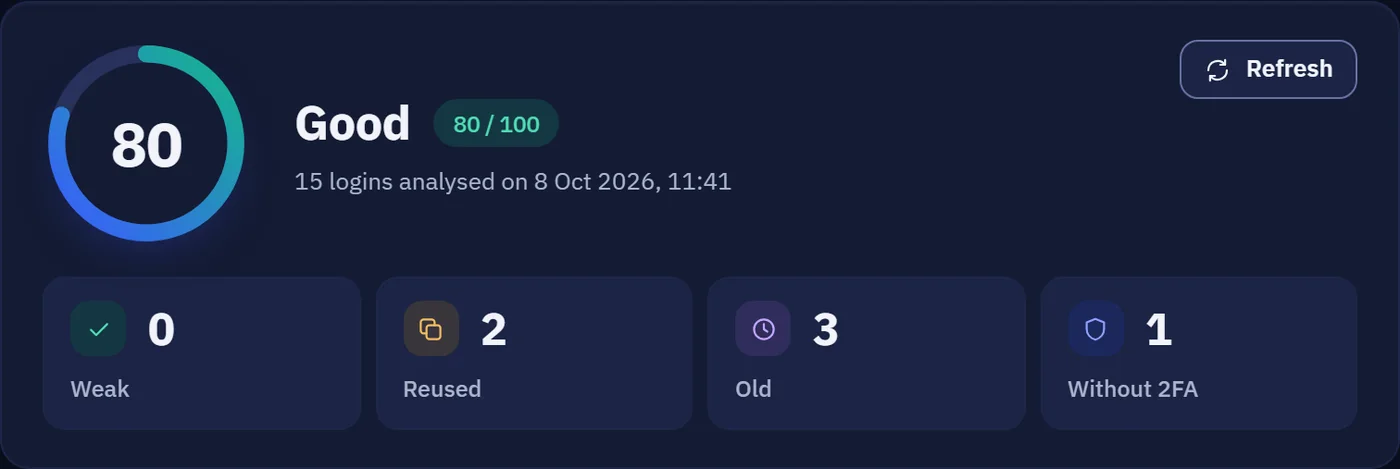
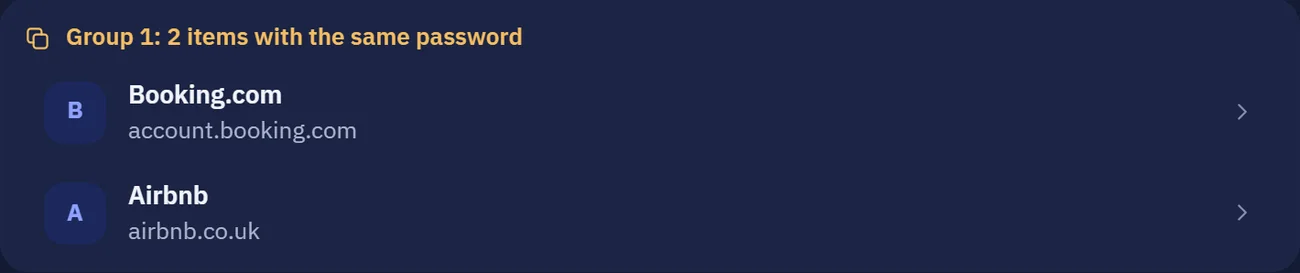
You notice Booking.com and Airbnb share a password.
Password health finds weak, reused and old passwords, plus logins without 2FA, and gives you a score from 0 to 100. Your computer does the maths: nothing leaves the vault.
The breached-password check is optional and only sends the first 5 characters of a fingerprint of the password.
-
Shut down and go to bed
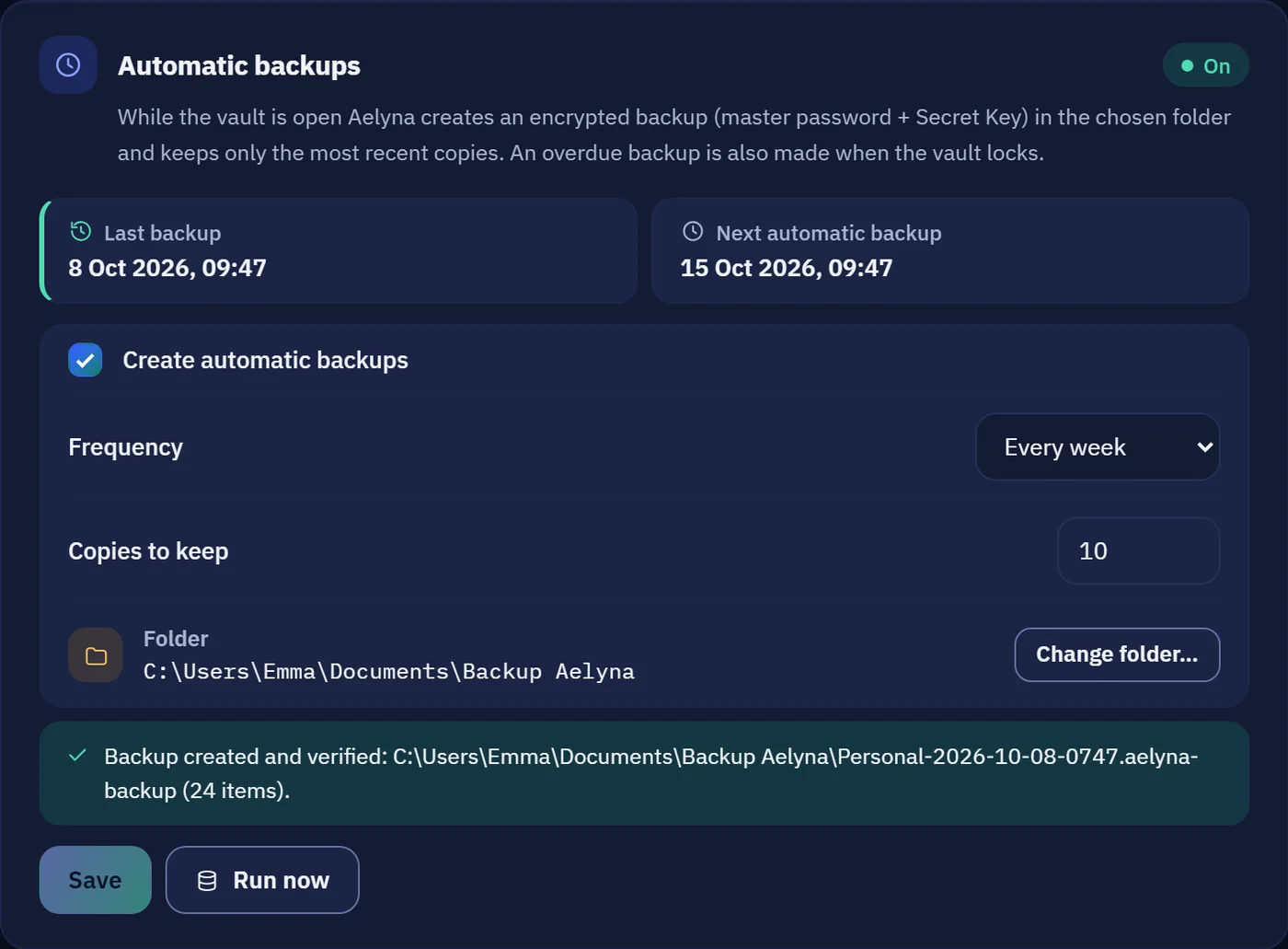
Lock up. Your backup is already taken care of.
While you work, Aelyna® makes encrypted copies in a folder you choose, on an external drive or a synced folder, and checks each one straight away. If a backup is overdue, it makes one as you lock.
Locking the vault clears the clipboard too.
The lock
Stealing the file isn't enough.
Opening the vault takes two different things, and a third if you want it. Anyone who finds the file on a lost USB stick or in a breached cloud is holding a block of unreadable data.
-
Your master password
Only you know it. We don't keep it anywhere, which also means we can't recover it.
-
The Secret Key
A random 128-bit code created on your computer. It's never in the file or in your backups.
A12YCAFBJGW8EJ6N9…
-
A hardware key optional
With a FIDO2 key such as a YubiKey, a touch is needed too. Even someone who steals the file, the Secret Key and the password can't open the copy.
The vault opens. If even one piece is missing, it stays an unreadable file, on your disk or in a backup.
What if your computer dies?
When you first set up, Aelyna® has you save your Emergency Kit: a sheet with your Secret Key and space to write your master password by hand. Print it once, put it in a drawer, and with a backup (plus your hardware key, if you use one) you can reopen everything on another computer.
- Argon2id
- XChaCha20-Poly1305
- 128-bit Secret Key
- Signed updates
Two things nobody can do. Not even us.
- Recover a forgotten master password. We don't know it: write it by hand on the Emergency Kit, or keep your recovery code safe.
- Protect an unlocked vault on an infected computer. No password manager can. We tell you up front, in the app and here.
Free, with no limit on items.
Free €0
Everything Aelyna® Keys does today. No account, no card.
- Logins, secure notes and identities, as many as you like
- 2FA codes, generator and password health
- Encrypted backups, automatic ones too
- Import from Chrome, Edge, Firefox, Safari, Bitwarden, 1Password, KeePass and CSV
- FIDO2 hardware key and Windows Hello
Premium Coming soon
For a copy of your vault away from home too.
- Cloud backup encrypted on your computer before it leaves: our server only receives files it can't open
- Later on, encrypted sync across your devices
- Payment by PayPal only
Remember one.
Aelyna® handles the rest.
Windows 10 and 11 · macOS 12 or later